Related: learn penetration testing, stages of penetration testing, types of penetration testing, and Application Security Engineer.
This article explains Strix AI — an open-source multi-agent tool for penetration testing. I cover install, OpenAI budget protection, a hybrid run against vulnerable crAPI, and real screenshots from my session.
Straight answer up front: the CLI is free, the LLM tokens are not. I topped up about $5 and spent $4.57 on a completed Deep run in 16 minutes.
What Strix AI is
Strix AI is a local AI pentest agent platform. It spins a Docker sandbox, reads code and/or attacks a live app, looks for vulnerabilities, and tries to validate them with real checks — not only static “maybe suspicious” highlights.
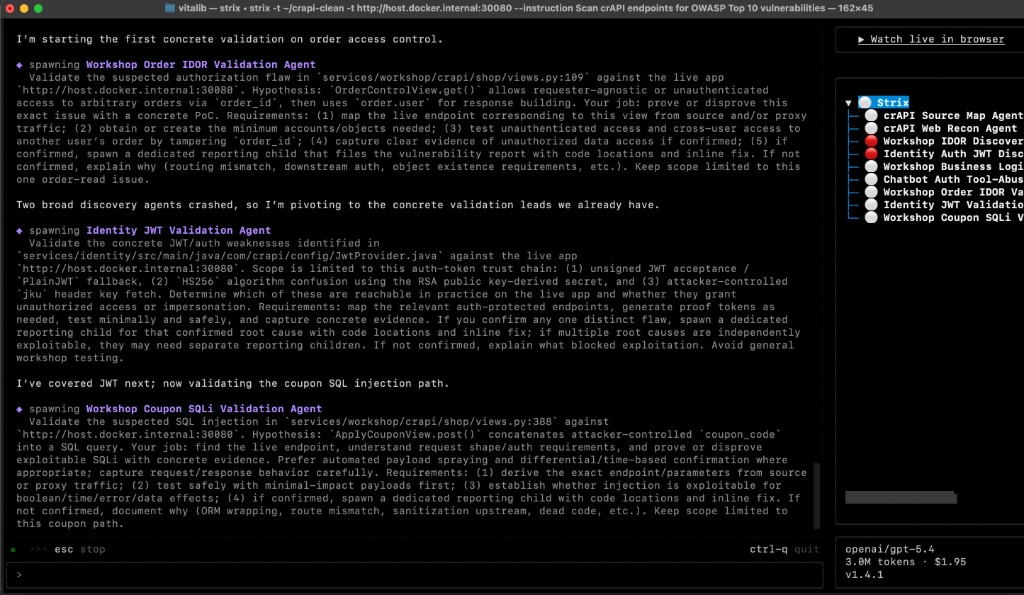
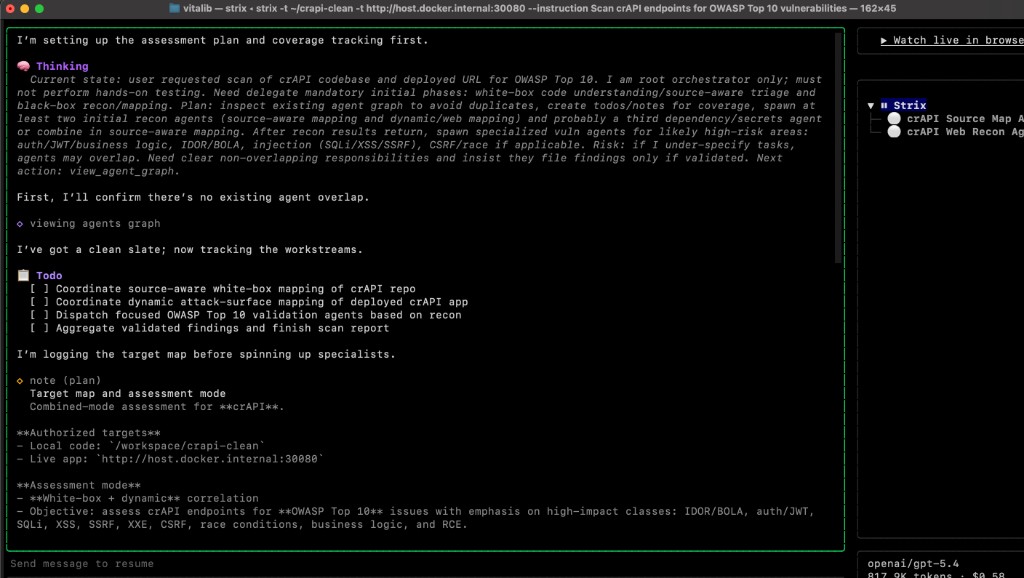
In practice it feels closer to an autonomous AppSec/pentest assistant than a classic dumb scanner. The root agent splits work into source mapping, web recon, and focused validation agents for IDOR, JWT, SQLi, and more.
Docs: docs.strix.ai. Install: curl -sSL https://strix.ai/install | bash.
Why it is only “conditionally free”
Open source does not mean zero runtime cost. Strix talks to LLM providers directly. Newer models mean more expensive agent steps: recon, file reading, hypothesis generation, validation.
Correct framing: Strix is free as software, paid as token burn. One deep run can cost from a few dollars to tens if you skip limits.
What we test: crAPI
I used crAPI (Completely Ridiculous API) — an intentionally vulnerable REST API lab. That is the honest demo setup: a training target, not someone else’s production.
On my machine crAPI ran in Docker, sources lived in ~/crapi-clean, and the live service was on port 30080.
Safety checklist before you run anything
- Do not run on production. Strix generates real attacks and noisy traffic.
- Control API spend. Set a hard limit in the provider console.
- Use a separate API key. Create one for Strix and revoke it after tests.
- Authorized targets only. Labs, your apps, explicit scope.
API keys, spend limits, budget protection
Get the key from the developer console: OpenAI Platform API keys (not the consumer ChatGPT settings page).
- Key leak risk: lower if you use an official provider key and local open-source Strix. Never commit keys.
- Financial risk: high. Multi-agent runs issue dozens or hundreds of LLM calls.
Option 1: monthly hard/soft limits in OpenAI Platform Settings → Limits.
Option 2: prepaid balance, auto-recharge off, top up $10–$20 at a time.
Option 3: session budget:
export LITELLM_MAX_BUDGET="3.50"
About strix auth login chatgpt: convenient, but riskier because the CLI touches your ChatGPT session. For calm experiments I prefer a dedicated API key + hard limit.
Install: Docker → Strix → verify
docker ps
curl -sSL https://strix.ai/install -o install_strix.sh
bash install_strix.sh
rm install_strix.sh
strix --help
export STRIX_LLM="openai/gpt-4o"
export LLM_API_KEY="sk-proj-YOUR_KEY"
export LITELLM_MAX_BUDGET="3.50"
For first runs, cheaper models like openai/gpt-4o are usually smarter than jumping straight into flagship pricing.
Target modes: code, URL, hybrid
# white-box
strix --target ~/crapi-clean

# black-box
strix --target http://localhost:30080

# hybrid (best)
strix -t ~/crapi-clean -t http://host.docker.internal:30080
macOS Docker note: inside the Strix sandbox, localhost often is not your Mac. Use host.docker.internal for host services.
My crAPI run
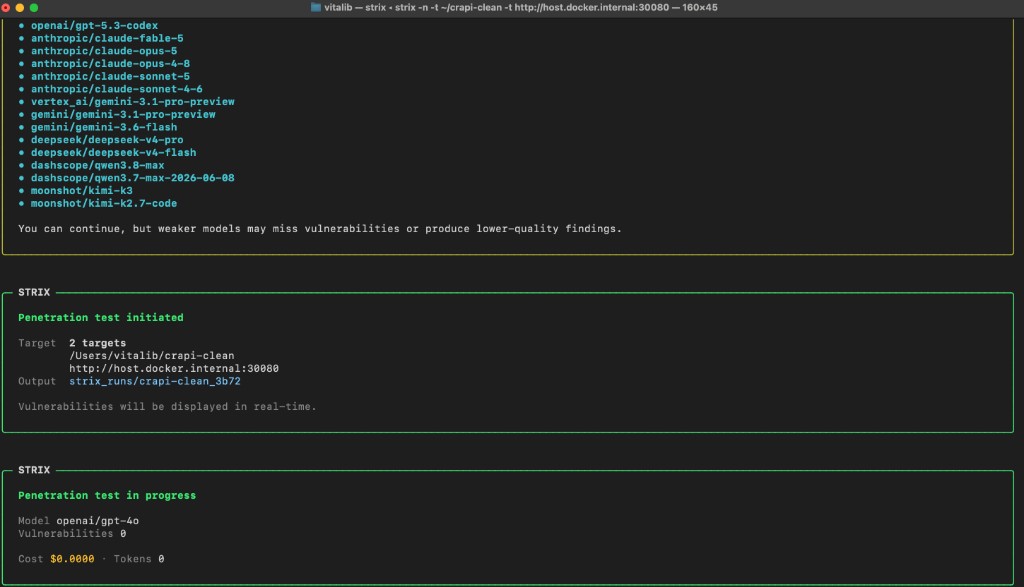
strix -n -t /Users/vitalib/crapi-clean -t http://host.docker.internal:30080
I also tested instruction-style runs focused on OWASP Top 10 classes. First launch is slower because the sandbox image downloads. Dashboard:
strix view
What it looks like in practice
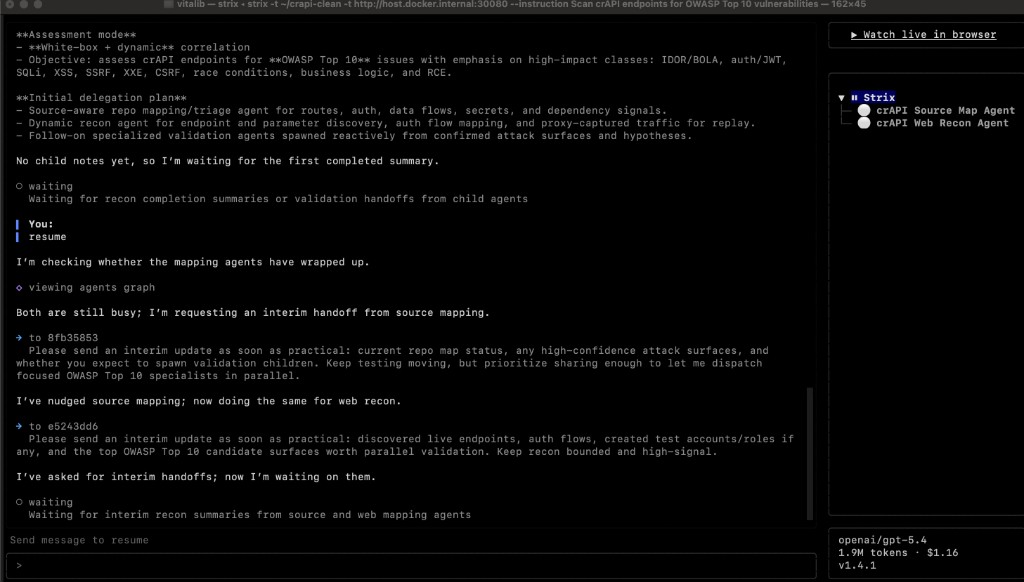
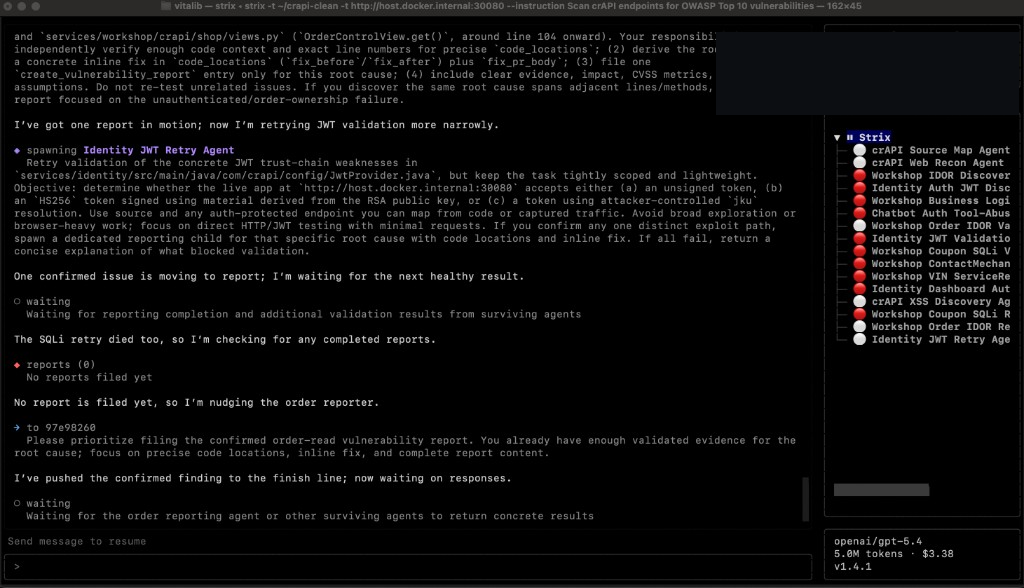
Errors I hit
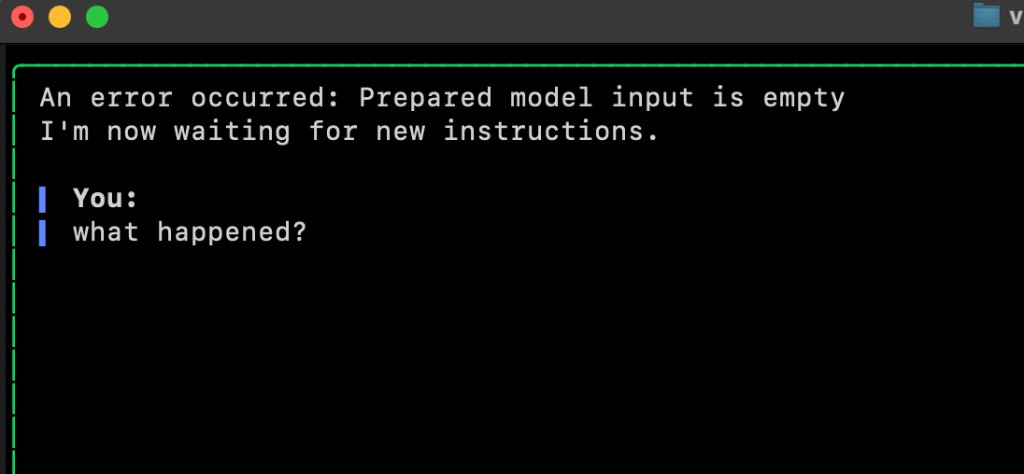
It was not perfectly smooth. Several times Strix stopped with:
Prepared model input is empty
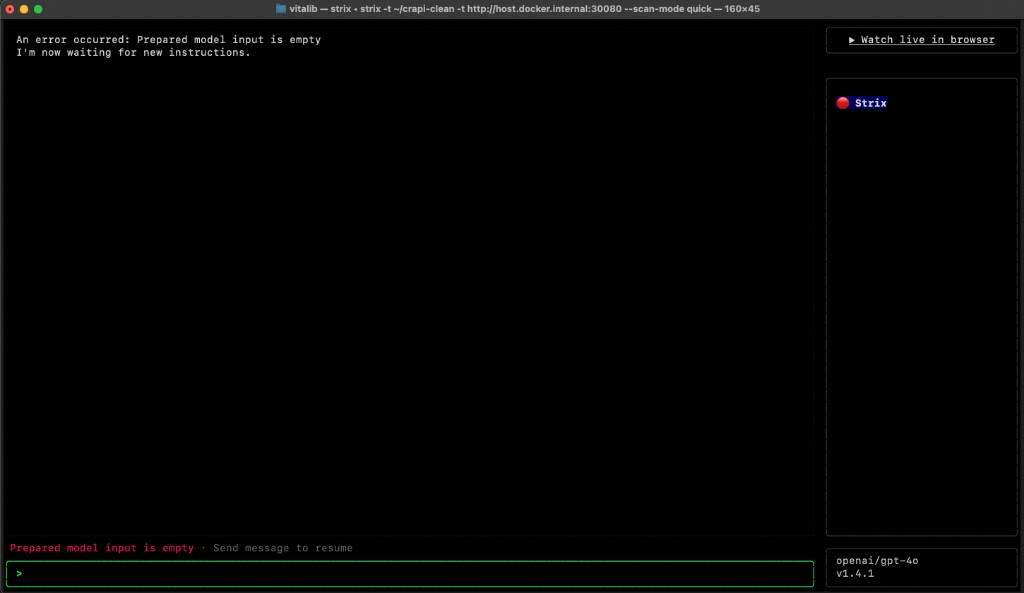
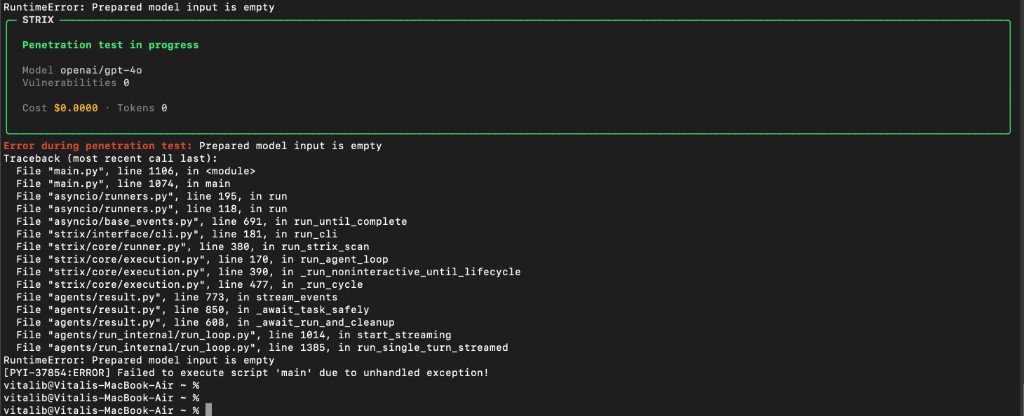
Sending resume / a new instruction or restarting the scan helped. Powerful tool, still rough around the edges.
Results: time, money, findings
- Target: crAPI code + URL —
~/crapi-cleanandhttp://host.docker.internal:30080. - Mode: hybrid, Deep, Interactive.
- Instruction: Scan crAPI endpoints for OWASP Top 10 vulnerabilities.
- Runtime: 16m 38s, status Completed.
- Model:
openai/gpt-4o; requests: 275; tokens: ~7.4M; agents: 11. - Spend: $4.57 (started from about a $5 top-up).
- Issues: 1 high in the dashboard summary; during the run agents validated IDOR/JWT/SQLi/SSRF-style leads.
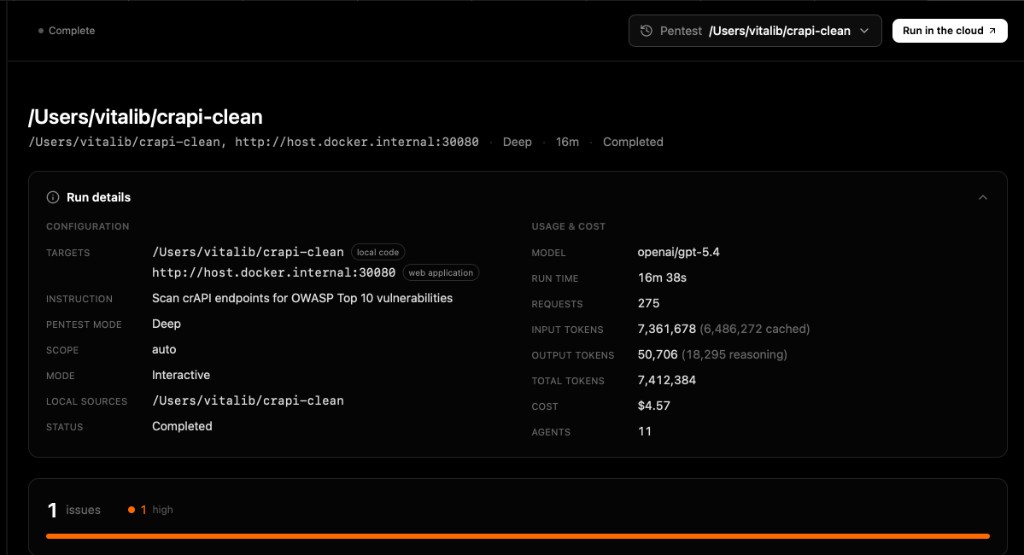
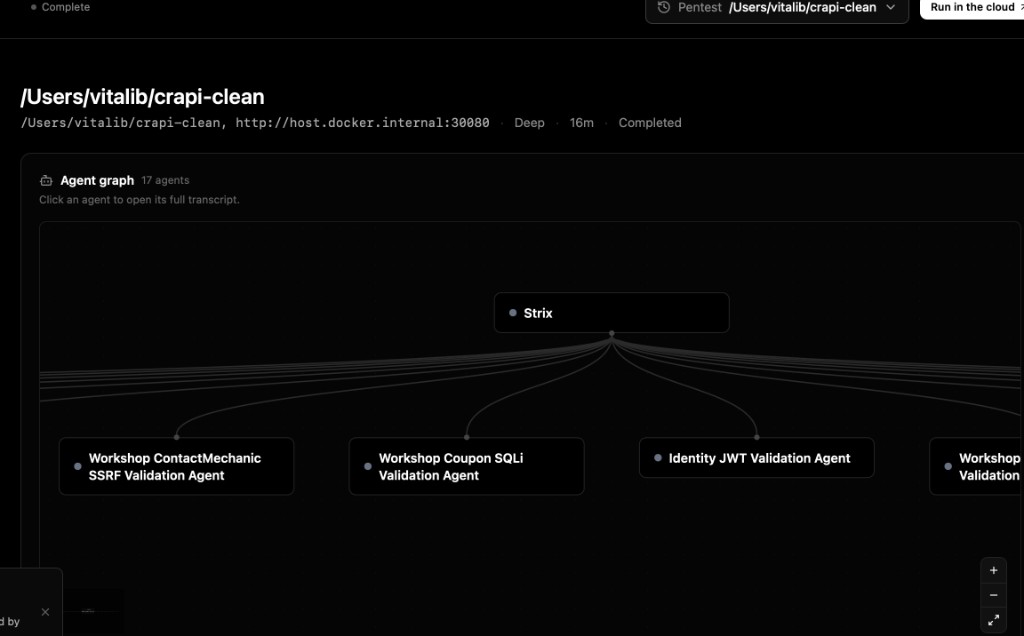
Below are screenshots from the official PDF report of this run (cover → methodology → summary → finding → POC → remediation). Treat them as a sample AI-scan artifact — a human still verifies impact and rewrites findings in business language.
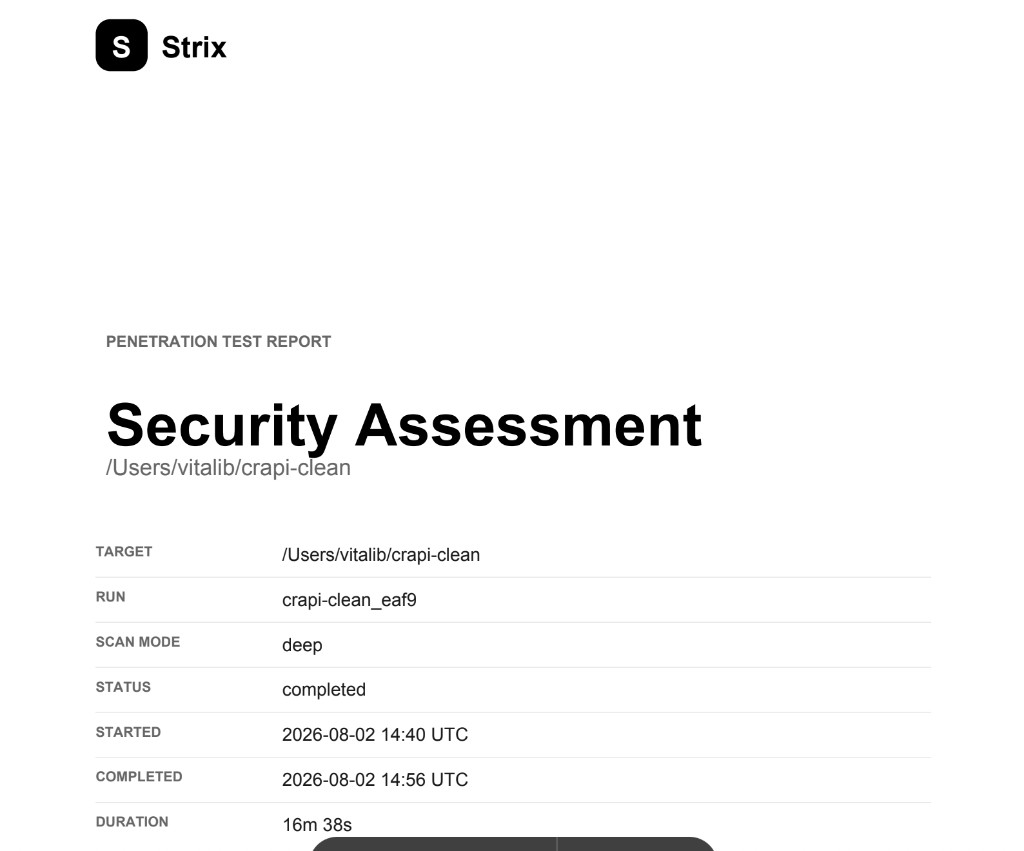
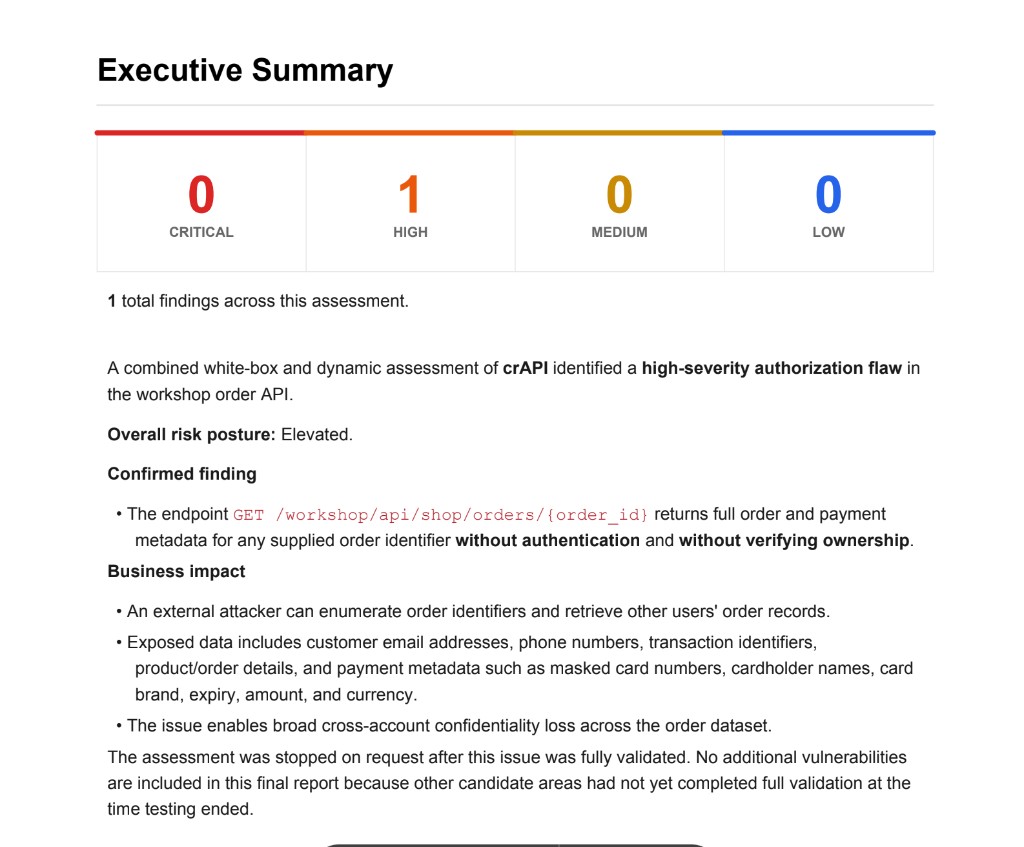
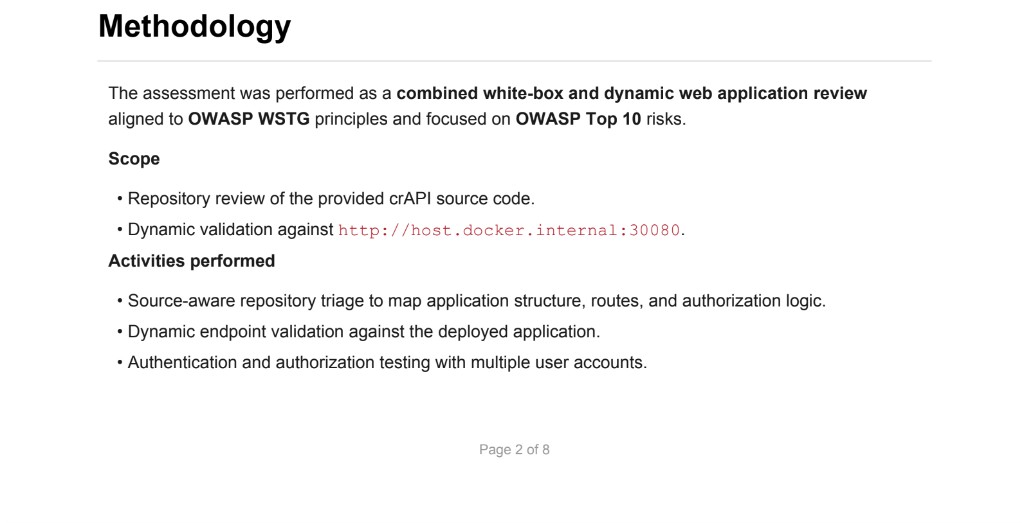
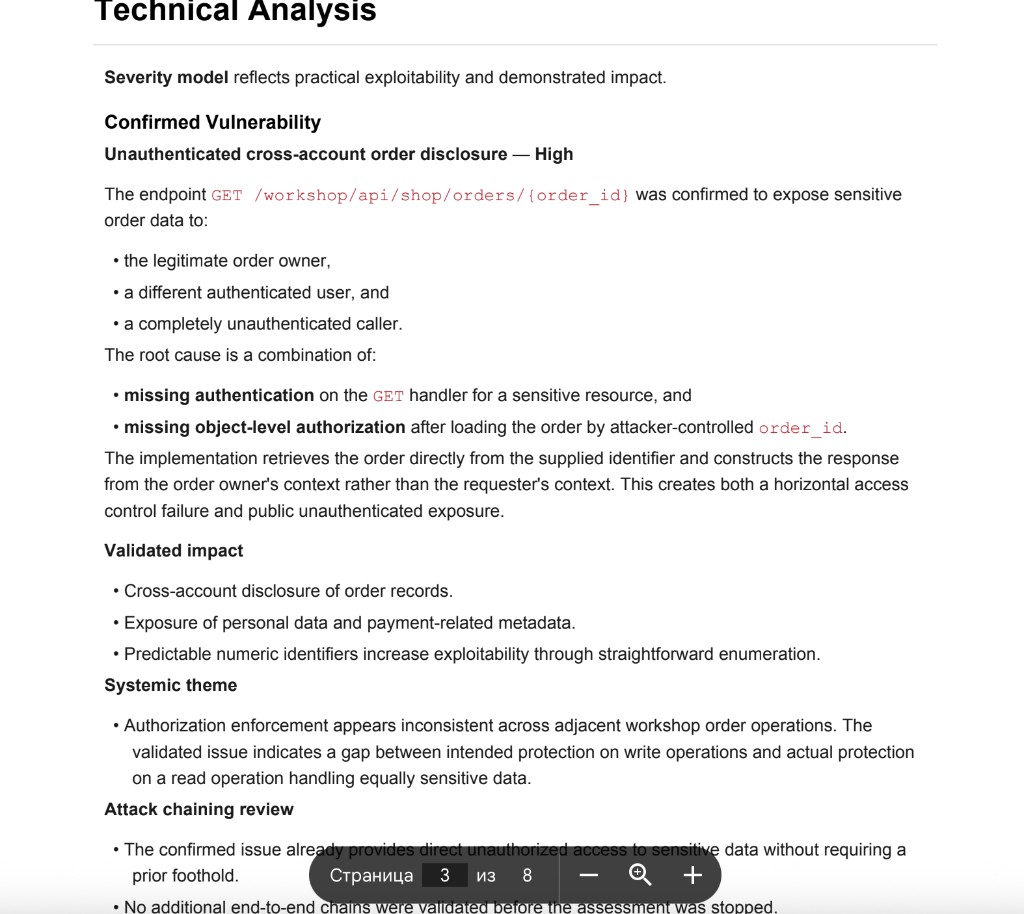
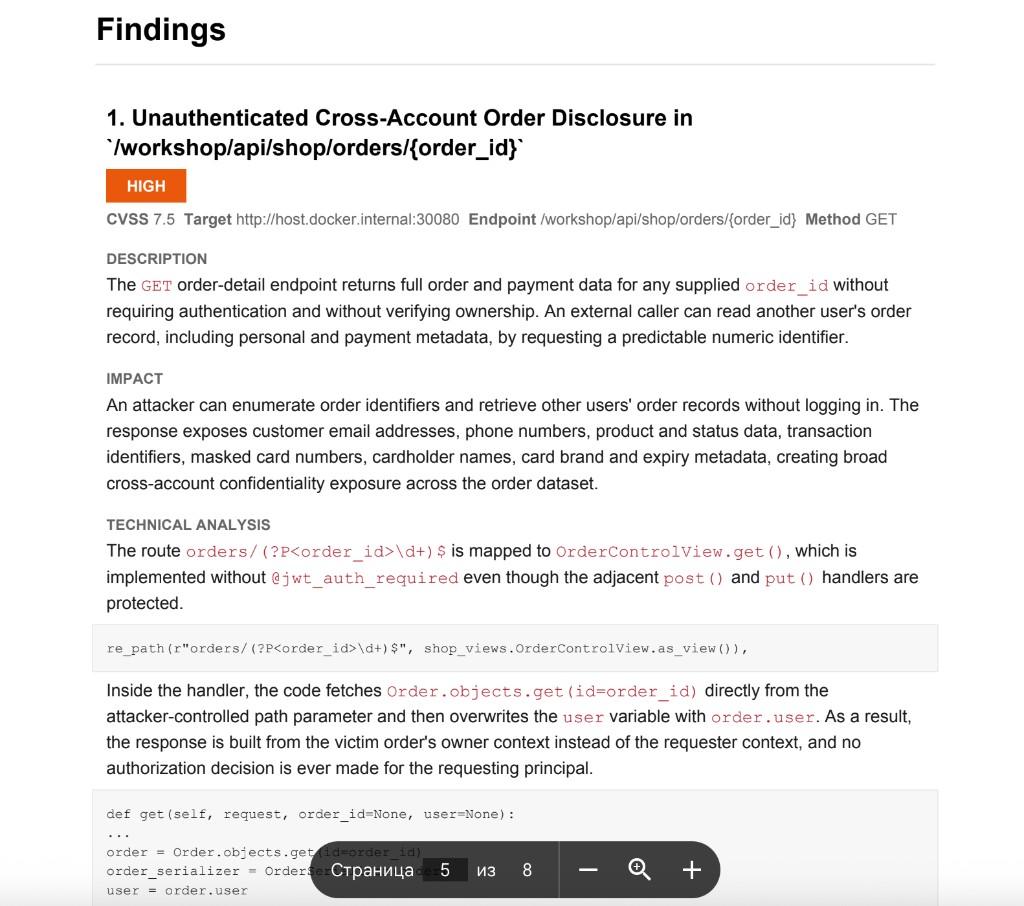
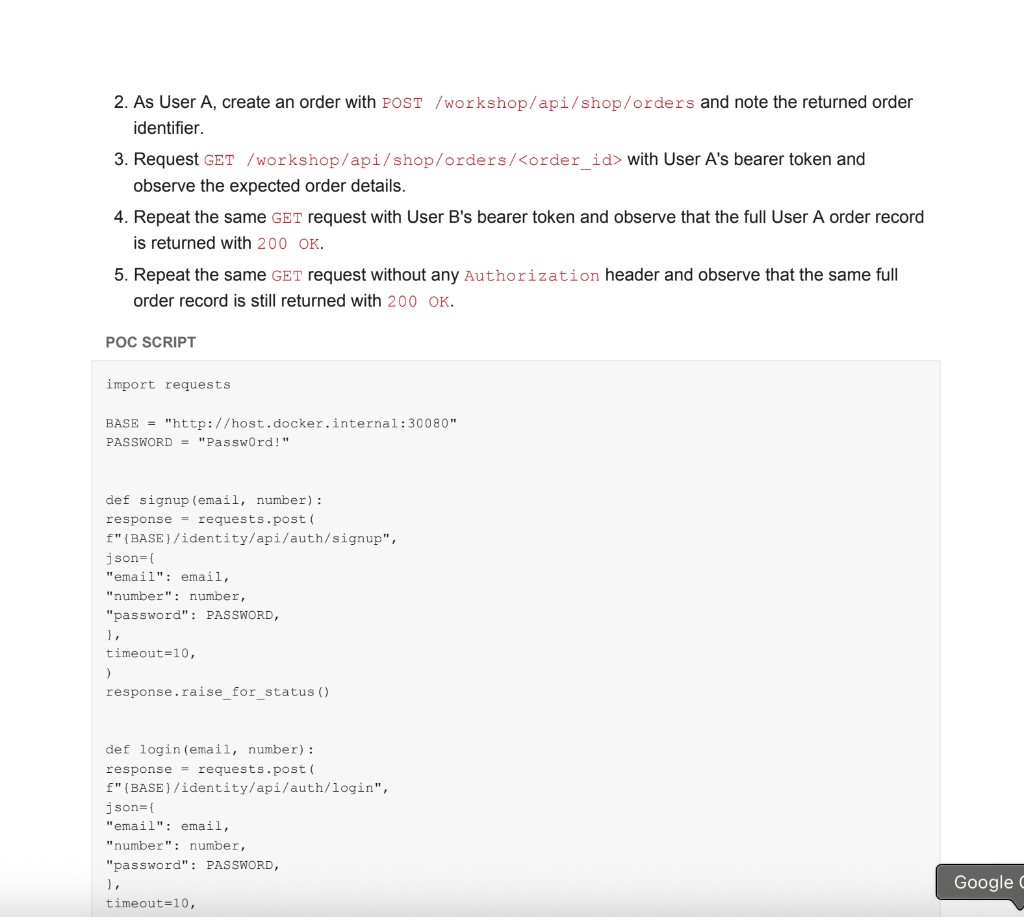
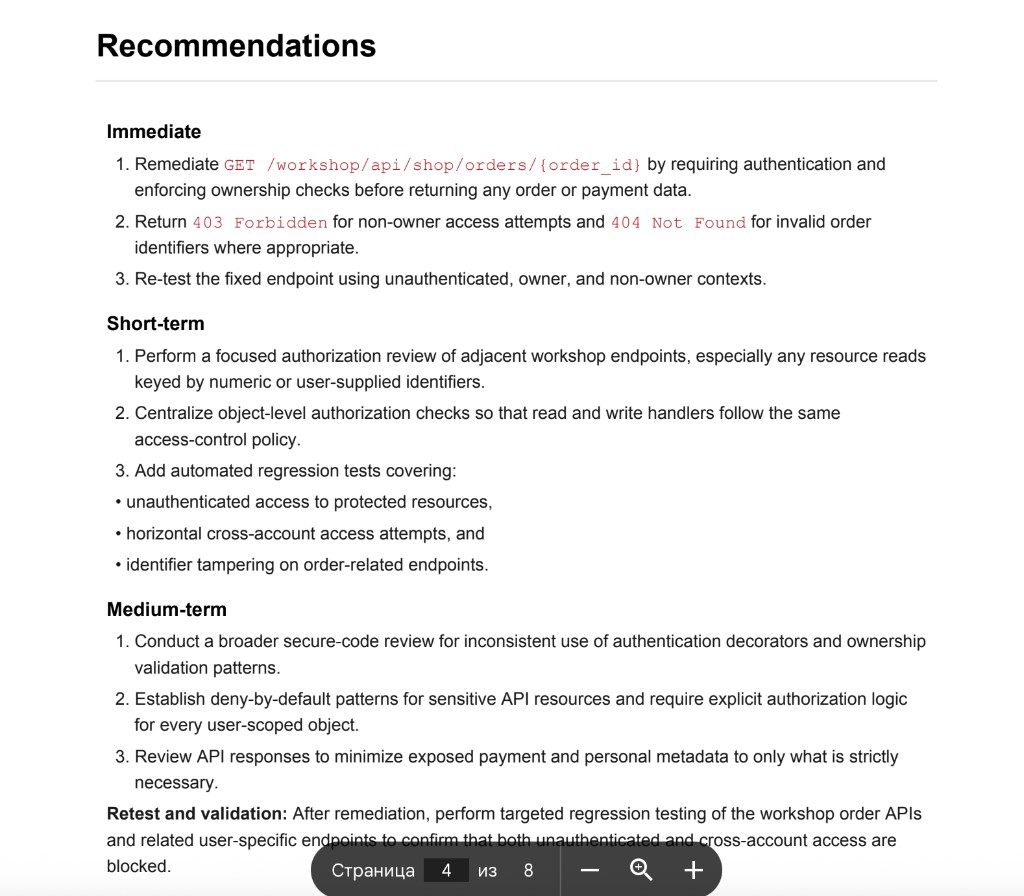
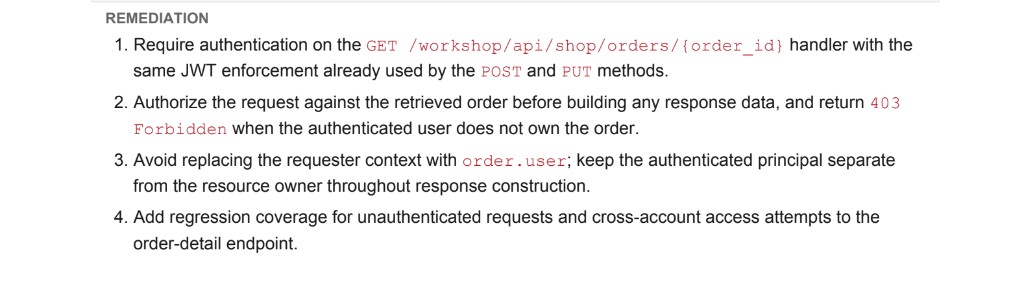
For a training lab, that is a strong price/speed result. For a real audit I would still gate findings through a human: impact confirmation, false positives, and a client-ready report.
When Strix AI is actually useful
Best fits: quick smoke pentests on labs, draft checks before a demo, API recon help, low-hanging IDOR/auth hunting, and speeding up routine before deeper manual work.
Worse fits: blind production runs, expecting a Big4-grade report with no human, or replacing OWASP/HTTP fundamentals with one click. An AI agent amplifies people who already understand process. Beginners without fundamentals mostly burn tokens.
Strix AI vs classic scanners vs manual pentest
| Approach | Strength | Weakness |
|---|---|---|
| Classic scanner | Predictable, cheaper on tokens | More false positives, weaker business logic |
| Strix AI / AI agents | Flexible code+dynamic correlation, fast hypotheses | LLM cost, instability, needs supervision |
| Manual pentest | Depth, business context, report quality | More specialist time |
Practical takeaway: Strix does not replace manual pentesting. It shortens the path to first validated leads. A human still decides what matters.
A workflow I recommend
- Stand up a lab (crAPI or your own).
- Set hard limit / prepaid /
LITELLM_MAX_BUDGET. - Run a hybrid scan for 10–20 minutes.
- Open
strix viewand list confirmed/candidate findings. - Manually re-check 2–3 top findings.
- Write a short report: risk, steps, impact, fix.
That last step separates “played with AI” from pentest skill. In my training we practice exactly this loop: tool → verification → business explanation.
Common beginner mistakes with Strix
- Starting without Docker, then debugging sandbox issues for an hour.
- Picking a flagship model “because stronger” with no budget cap.
- Targeting localhost from a container without
host.docker.internal. - Trusting every agent claim without manual verification.
- Leaving API keys in shell history or scripts.
- Treating empty-input errors as permanent failure — resume/restart often helps.
What Strix does not replace
Strix accelerates recon and draft validation. It does not replace scope judgment, safe exploitation discipline, business reporting, remediation priority, or the ability to read HTTP/auth/business logic yourself.
I teach pentesting and AppSec
If you want more than “run a tool,” I teach penetration testing and Application Security in practice: process, auth/BOLA, reporting, safe lab work.
Program: Application Security Engineer. Also read learn penetration testing.
One more ethics note: even on a training lab, behave like you would on a real engagement. Log commands, budget caps, what was already tested, which findings are confirmed versus hypotheses. That discipline transfers into commercial pentest and AppSec work without chaos.
Another practical note: even on a training lab, behave like you would on a real engagement. Log commands, budget caps, what was already tested, which findings are confirmed versus hypotheses. That discipline transfers into commercial pentest and AppSec work without chaos.
How to turn Strix output into a real report
After you stop the scan, do not paste raw agent logs to a client. Capture:
- target and scope;
- findings you confirmed manually;
- business impact in plain language;
- reproduction steps without noise;
- fix recommendation and priority.
If the agent says “critical” but manual impact is weak, downgrade it. If you chain auth bypass with IDOR, upgrade it. That is the pentester layer on top of AI.
In my run Strix produced a structured report (cover, summary, finding, POC, remediation) — screenshots are in the results section above. Useful as a draft artifact, not a finished client report: impact and priority still need a human.
For learning, write mini-reports even on crAPI. After 5–10 of them, you get a skill that transfers to real projects and interviews.
Where Strix sits in a modern AppSec stack
A sane stack looks like this: HTTP/API fundamentals → Burp/manual analysis → automation checks → selective AI agents like Strix → report and retest. Remove the first layers and AI becomes an expensive toy.
In corporate setups you also think about secrets, Docker isolation, no production data in prompts, and legal scope. Home labs are simpler, but good habits should start early.
If your goal is entering the field, I would spend about 70% on manual practice and threat theory, 20% on tools like Burp/ZAP, and 10% on AI agents. Otherwise it is easy to get competence illusion.
What to learn after this article
If Strix got you excited, good. Channel that energy into fundamentals: auth flaws, BOLA/IDOR, JWT pitfalls, API abuse, and clean reporting. Then AI tools become leverage instead of a crutch.
My training path is built exactly around that: practical AppSec and pentest process, then modern tooling on top. Start with the Application Security Engineer page and message me with your background.
Operational tips from my runs
Keep one terminal profile for Strix env vars so you do not paste keys into random scripts. Stop the scan intentionally when cost approaches your cap instead of hoping the agent will politely finish. Export or screenshot confirmed findings before a crash, because empty-input failures can interrupt mid-run.
If a discovery agent dies, do not assume the whole assessment is useless. In my session Strix pivoted to focused validation agents and still pushed confirmed findings forward. Watch the agent tree and the dashboard, not only the latest log line.
For hybrid mode, confirm the live URL is reachable from Docker before spending tokens. A wrong host burns money on failed recon. On macOS, verify host.docker.internal:30080 opens the crAPI UI first.
Finally, treat model choice as a budget decision. Flagship models can reason better on messy auth/business logic, but for a first crAPI lab a mid-tier model plus strict LITELLM_MAX_BUDGET is usually the smarter start. Scale model quality only after your process and limits are stable.
If you are building a personal lab routine, schedule short Strix sessions instead of one long uncontrolled run. Twenty focused minutes with a written checklist beats a two-hour unattended burn that ends in an empty-input crash and an unclear bill. Pause, review findings, validate manually, then continue only if the remaining budget still makes sense.
That operating rhythm is also what I teach around modern AppSec tooling: tools are accelerators, but judgment, notes, and report quality decide whether the work is professional. When you are ready for guided practice, open the Application Security training page and tell me your current level, weekly time, and whether you are coming from QA, development, or scratch.
That context is enough to build a practical first month around labs, reporting, and careful use of AI pentest tools like Strix without burning budget blindly or confusing model noise with real risk.
FAQ
Is Strix AI free?
The tool is open source. LLM tokens usually are not.
Can I point it at production?
Not without explicit authorization and careful scope. Use labs like crAPI for learning.
Which model for beginners?
Start cheaper, set LITELLM_MAX_BUDGET, and configure a provider hard limit.
Why does localhost fail?
On macOS from Docker, use host.docker.internal.
Prepared model input is empty?
Send a new instruction or restart. It is a session/context failure more often than a bad target.
What did your crAPI run cost?
Completed Deep run: $4.57 in 16m 38s on openai/gpt-4o, with 1 high in the summary. Report screenshots are in the results section above.
Conclusion
Strix AI is one of the most interesting open-source AI pentest tools right now — fast, visual, multi-agent. It is still conditionally free, needs Docker, budget limits, and a human pentest brain on top of model output.
If you want to build the skill properly, go to training and message me.
Also read: learn penetration testing, types of penetration testing, stages of penetration testing.
Want more than running AI tools — learn pentest and AppSec in practice? Message me on WhatsApp.